The Best Game Emulators for Android Mobile

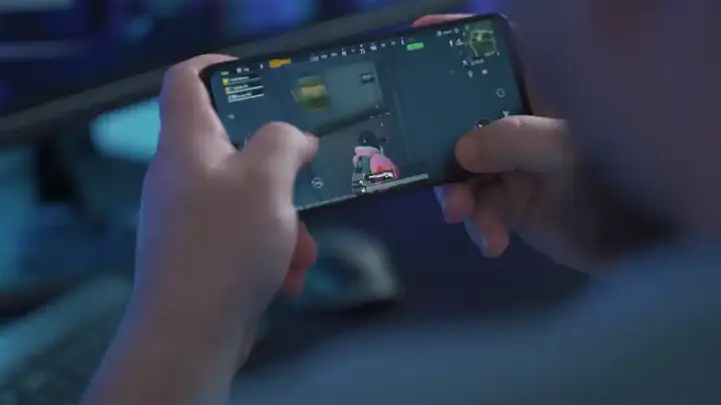
With the skyrocketing prices of gaming-specific PCs, young gamers are searching for alternative ways to enjoy gaming. Some have turned to gaming platforms like PlayStation or Xbox, among others. Meanwhile, others have taken a completely new approach by leveraging the capabilities of mobile devices, which now closely match those of older gaming platforms or PCs. They've embarked on various experiments, particularly on Android devices, using emulators that can run games on mobiles.
عرض النقاط الرئيسية
- The gaming market has witnessed a major shift as the price of gaming PCs has risen, prompting many gamers to look for alternatives like mobile devices or home gaming platforms.
- The AetherSX2 emulator has become an effective choice for running PlayStation 2 games on Android devices, thanks to its high performance and compatibility with several popular titles.
- The Dolphin emulator supports GameCube and Wii games and is considered one of the best for providing enhanced graphics and multiple gaming features like save states and customization.
-
- PPSSPP emulator offers an excellent quality and performance for PSP games, supporting most popular titles such as God of War and Kingdom Hearts.
- Duckstation emulator provides an exceptional gaming experience for old PlayStation 1 games with 4K resolution support and smooth performance even on low-end devices.
- Running these emulators on mobile requires specific technical specifications and familiarity with performance settings to ensure smooth gameplay and stable experience.
- Modern emulators focus on customization and high graphics, making mobile phones a real alternative to traditional gaming consoles.
We've seen many of these emulators running well-known and powerful games, cultivating a new class of professionals in this form of gaming.
In this article, we'll go through a list of the most noteworthy emulators known for their smooth performance, noting that this method requires a good understanding of certain technologies to ensure a stable experience.
قراءة مقترحة
1. AetherSX2 Emulator
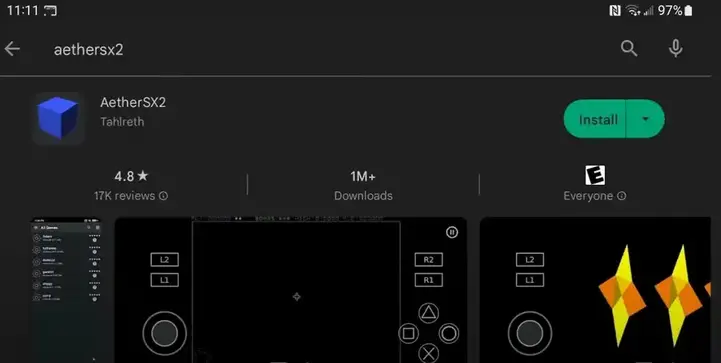
This is an open-source PlayStation 2 (PS2) emulator for Android devices. It is still in development but can run many PS2 games well with high-quality graphics.
What are the features of AetherSX2?
● Supports a wide range of Android devices, including those with low-power processors.
● Accurate emulation of the original PS2 code, offering a realistic gaming experience.
● High-resolution graphics with additional graphical enhancements. Includes many game features like save states and quick loading.
● Easy-to-use user interface with customizable settings.
What games does AetherSX2 support?
AetherSX2 supports many PS2 games, including popular titles such as:
● Grand Theft Auto: San Andreas
● Metal Gear Solid 2: Sons of Liberty
● Final Fantasy X
● God of War 2
● Shadow of the Colossus
System/Mobile Device Requirements:
● Quad-core processor at a minimum
● 2GB of RAM
● Android 8.0 or above
Ensure you have the latest version of AetherSX2. Experiment with different settings to improve performance. Close other running background apps. Connect your device to a power source.
2. Dolphin Emulator
Dolphin is an open-source emulator for Nintendo GameCube and Wii, running on Windows, Mac, Linux, and Android operating systems. It is regarded as one of the best for video game emulation, offering excellent performance and advanced features.
What are the features of Dolphin Emulator?
● High Definition: Dolphin can run GameCube and Wii games at resolutions higher than the original.
● Graphical Enhancements: The emulator offers various graphical improvements such as:
● Game Features Support: The emulator supports many game features, such as:
○ Save state and quick loading: Allows you to save your game progress and return to it later.
○ Network play: Play with your friends online.
○ Customization: Allows you to customize controls and graphics settings to your liking.
What games does Dolphin support?
Dolphin Emulator supports most GameCube and Wii games, including:
● Super Mario Sunshine.
● The Legend of Zelda: Wind Waker.
● Metroid Prime.
● Resident Evil 4.
● Final Fantasy X.
3. PPSSPP Emulator
PPSSPP is also an open-source emulator for the PlayStation Portable (PSP) that runs on Windows, Mac, Linux, Android, and iOS. It is regarded as one of the best general game emulators, offering excellent performance and wide game compatibility.
What are the features of PPSSPP Emulator?
It shares many features with previously mentioned emulators, but with great compatibility for PSP devices.
What games does PPSSPP support?
PPSSPP supports most PSP games, including popular titles:
● God of War: Chains of Olympus
● Metal Gear Solid: Portable Ops
● Grand Theft Auto: Vice City Stories.
● Monster Hunter Freedom Unite
● Kingdom Hearts: Birth by Sleep
● Final Fantasy IX.
4. Duckstation Emulator
This emulator is for fans of old PlayStation 1 games, and it's considered one of the smoothest emulators.
It functions on Windows, Mac, Linux, Android, and Raspberry Pi. The emulator focuses on accuracy, performance, and long-term maintainability.
What are the features of Duckstation Emulator?
● High Resolution: Duckstation can run PlayStation games at 4K internal and 1080p external resolutions with various filtering options.
● Excellent Performance: The emulator offers fast and accurate performance even on modestly spec'd devices.
● Wide Compatibility: The emulator supports most PlayStation games, including commercial and experimental ones.
● Supports traditional emulator features like game saving and network play.
What games does Duckstation support?
Duckstation supports most PlayStation games, including:
● Final Fantasy VII
● Crash Bandicoot
● Spyro the Dragon.
● Metal Gear Solid
● Resident Evil 2
● Silent Hill.